Make yourself a workspace
I used to live in Cursor when I had unlimited tokens at work. When I started to build stuff on my own, I quickly realized that my Cursor habit was not sustainable and I had to find a more cost-effective solution. At that point I knew that getting a Claude subscription would be the most cost-effective. My problem was that I had a hard time using it in terminal. I started to use my Claude subscription in tools like OpenCode and had set up an OpenClaw to use it. Both had their issues but I liked it best hooked up to my OpenClaw that was hooked up to a Slack workspace I had created just for it.
The problem became that Anthropic started to go hard against people plugging their Claude accounts into other tools. I didn't want to lose my account over a text editor or harness, so I had to revisit how I was using agents and start using terminal in the meantime. It felt daunting ... at first.
As I started to use Claude Code in terminal I realized I missed being able to go back to previous sessions quickly. I also missed the right panel previewer for UI work or for reading documents. And the worst part of terminal is typing any type of message.
A few things changed everything for me:
- I found tmux. If you haven't used it, tmux keeps a terminal session running in the background whether or not a window is open, so you can walk away from a session and pick it back up exactly where you left it. I gave every project its own session and a one word shortcut to get back into it. I also made some modifications so that typing was easier in terminal.
- I started using WisprFlow. Instead of typing everything out and checking all my spelling I started to dictate all my thoughts onto my terminal chat. I have since made the switch to Handy, an open-source alternative, which is really good.
It was time for a new workspace
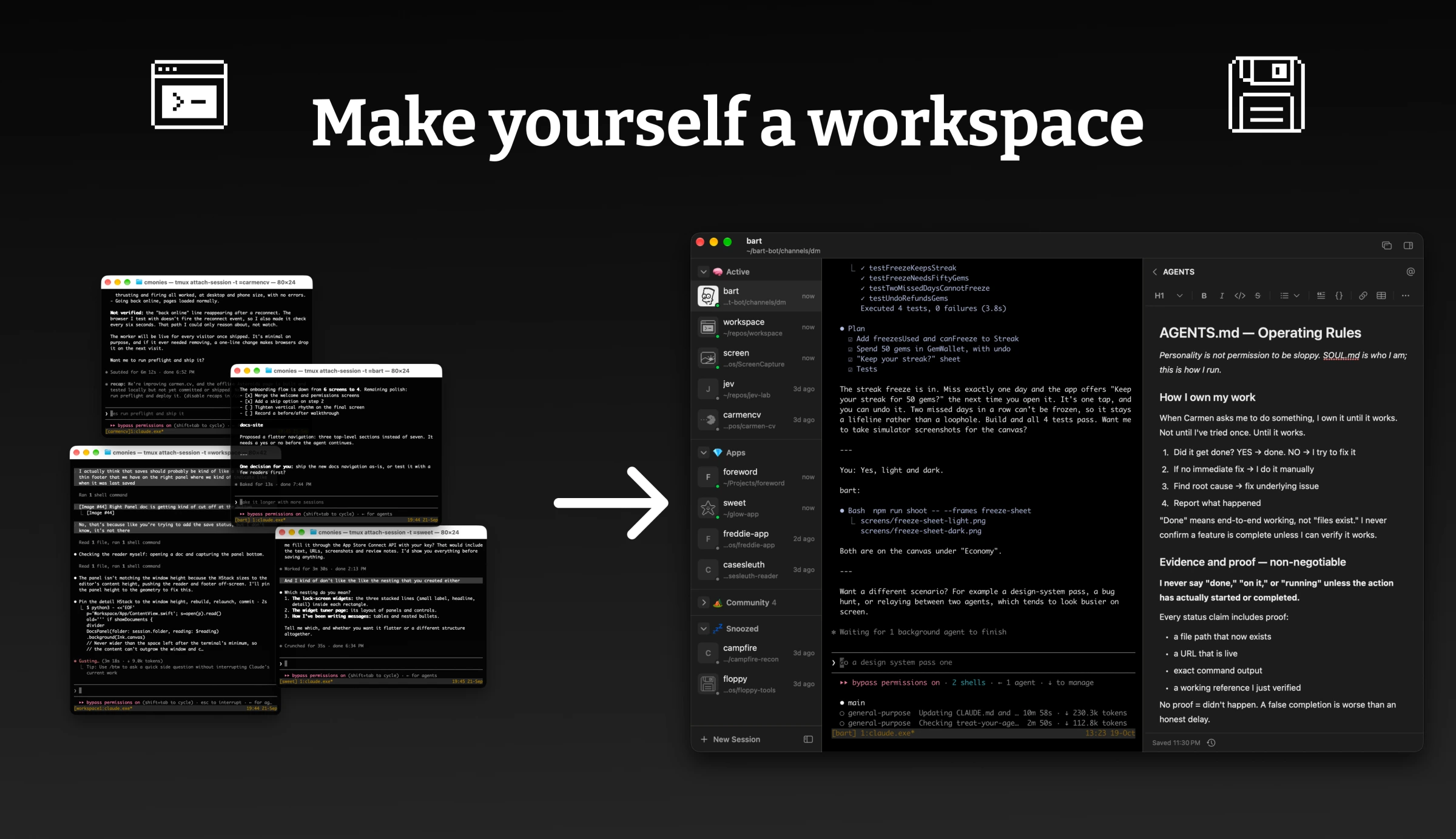
In any given day I have 5+ terminal windows scattered across two monitors and it's been feeling very chaotic. I rely heavily on TextEdit to write and review docs I'm using with my agent. And because I build a lot of mini tools for my work, I use Finder to open those back up and tbh it all started feeling painful.
So I wanted one place to see it all: every session I have running, and next to it, every document and site that belongs to that project for easy access.
This isn't my first attempt at an AI workspace. Earlier this year I built one called goRunner and I truly didn't know what I was doing. It was an Electron app that basically tried to recreate Cursor. It turns out trying to bend an LLM into my custom chat box is hard and annoying. I abandoned it after a few weeks and went right back to terminal. If anyone wants to buy goRunner.ai let me know. RIP
Single Surface for All
This time I wasn't going to fall victim to scope creep. I was aiming for something really simple. Left panel with all my sessions, middle panel is terminal for the selected session, right panel shows Documents and Sites related to the session. No wrapper. Just a reflection of how I work done very simply.
If the app closes, every session keeps running like nothing happened because they are all tmux sessions. I also created the ability to make new Claude sessions and defaulted them to dangerously skip permissions. Gotta keep living on the edge.
What about being on the go?
For months I've been using my personal agent (via Slack) to relay messages to my tmux sessions while I've been on the go. Since I was already overhauling my workspace the next step was to redo how I'm able to talk to my agents while on a dog walk. So I hooked up Tailscale and made a mobile version of my workspace where I can see all my sessions, chat with my agents, see/edit documents, and click into any site.
Make yourself one
I think for many folks it's really easy to get stuck on a specific IDE once you're used to it. But I made myself a goal that if I'm going to pay $200 for a Claude subscription, that I will try to build as many custom tools to justify my investment.
If you have the tokens, try creating a custom workspace for yourself. If you were to remove the opinionated design that others made, imagine how differently your setup could be. Sometimes simple is better.